PDF क्या है? फ़ॉर्मेट और इसके उपयोग की पूरी गाइड
PDF का अर्थ, इसे बनाने का कारण और दस्तावेज़ का लेआउट सुरक्षित रखने का तरीका जानें।
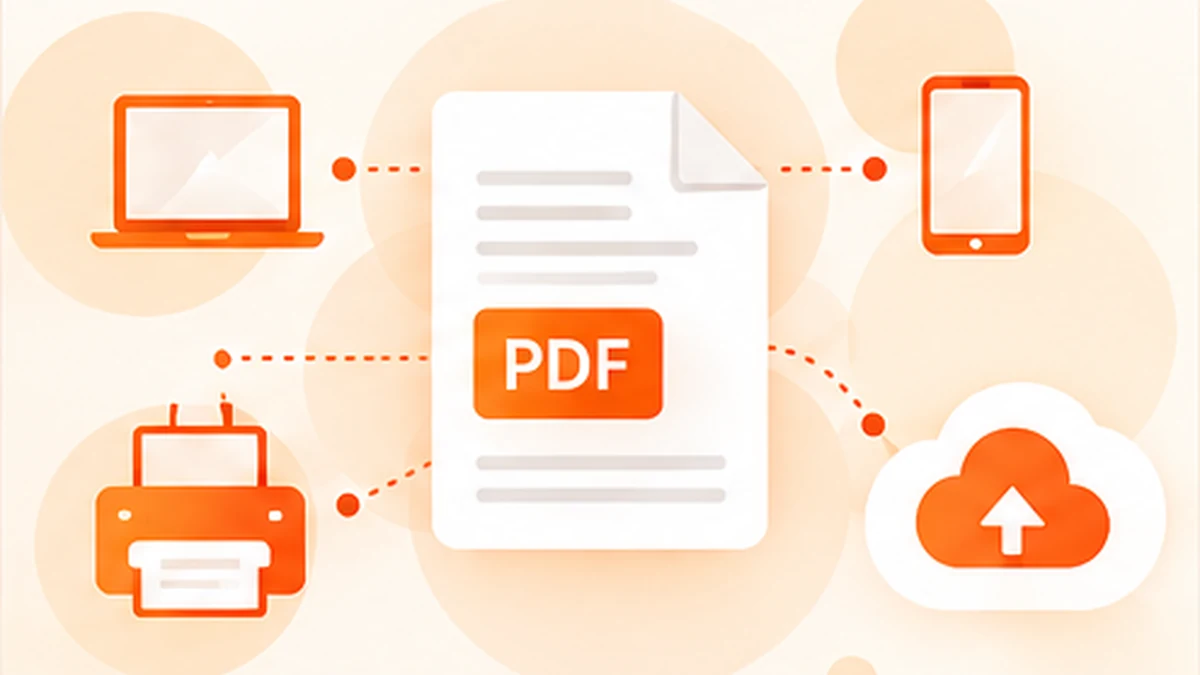
A PDF is a file format for presenting documents in a consistent, shareable form. It is widely used for manuals, forms, reports, receipts, brochures, invoices and official paperwork because the page layout can remain stable even when the file is opened on different devices. Understanding what a PDF is—and what it is not—helps you choose the right format for reading, editing, sharing and archiving information.
What does PDF stand for?
PDF stands for Portable Document Format. “Portable” is the important idea: a document should be able to move between computers and operating systems while preserving its intended appearance. A PDF can contain text, fonts, images, vector graphics, links, annotations, form fields and other information arranged on pages.
Unlike a simple screenshot, a PDF may keep text as text and drawings as vector shapes, so content can remain sharp when zoomed or printed. However, not every PDF contains selectable text. A scanned document may be made mostly of page images, and it may need optical character recognition (OCR) before its words can be searched or copied.
Why was PDF created?
PDF was developed by Adobe in the early 1990s to make it easier to exchange documents while keeping page layout, typography and graphics consistent. Before such workflows became common, sharing a document could mean worrying about whether the recipient had the same fonts, software or printer setup. A file might reflow, substitute fonts or look different on another computer.
The aim was to make a document behave more like a digital page: what the creator arranged could be viewed and printed predictably by someone else. PDF became widely adopted for business and publishing, and it was later standardised as ISO 32000, helping make the format usable beyond one vendor’s ecosystem.
How is a PDF different from a Word document?
A word-processing file is generally designed for creating and revising content. Text flows as you type, and page breaks can change when fonts, margins or software versions differ. A PDF is usually chosen when the document needs to be shared or presented in a stable page layout. It can still be edited, but editing may require a PDF editor or the original source file.
The formats serve different purposes. Use a word processor when collaborators need to rewrite and restructure the content. Use a PDF when you want to distribute a finished document, preserve a form’s appearance, or provide a print-ready copy. Many workflows use both: create in Word or another authoring app, then export a PDF for delivery.
What can a PDF contain?
A PDF can include paragraphs, headings, tables, photographs, diagrams, charts, hyperlinks, bookmarks, page numbers, annotations and interactive form fields. It can also include embedded fonts and colour information that help preserve the appearance of a page. Some PDFs contain digital signatures or permissions that help support particular document workflows.
The format itself does not guarantee that a document is accessible, secure or accurate. A PDF can have poor reading order, low-resolution scans, broken links or misleading content. Passwords and permissions can help control some actions, but sensitive information should be removed using proper redaction rather than covered with a shape.
Where are PDFs used?
At work, PDFs are common for contracts, proposals, invoices, manuals, policies, reports, quotations and presentations that need consistent formatting. Schools and universities use them for reading material, assignments, forms and research papers. Public services often publish forms and guidance as PDFs because they can be downloaded, printed and stored as a stable copy.
Everyday uses include tickets, receipts, product instructions, application forms, travel itineraries, event schedules and household records. Designers and publishers use PDFs to share proofs or print-ready artwork. Engineers may exchange drawings and specifications. In each case, the benefit is similar: a single file can carry a structured, paginated document that recipients can view or print.
Are all PDFs editable and searchable?
No. A PDF exported from a digital document often contains selectable text, but a scanned PDF may be only a set of images. Some files also restrict copying or editing, or use unusual fonts and layouts that complicate changes. If text cannot be selected, OCR may recognise the characters and add a searchable text layer.
OCR is helpful, but it is not infallible. It can confuse similar characters, misread columns or omit marks in low-quality scans. Verify names, dates, totals and other important information against the page image. If you need to change the original wording, a PDF editor or the source document may be required.
PDF, PDF/A and other variants
You may encounter terms such as PDF/A, a family of PDF standards designed for long-term archiving. PDF/A places additional requirements on how documents are created, including rules intended to improve reliable reproduction over time. It is not the same as an ordinary PDF saved with a different filename; the document needs to conform to the relevant specification.
There are also PDFs containing forms, digital signatures, embedded media or complex graphics. Compatibility depends on the features used and the viewer. If a file is intended for official submission or archiving, follow the receiving organisation’s requirements rather than assuming any PDF will be accepted.
How to work with PDFs safely and efficiently
Use a trusted reader to open documents, keep your software updated and be cautious with unexpected attachments or links. Before uploading a file to an online tool, check whether it contains personal, financial, health or confidential business information and review how the service handles uploads. Use an approved local workflow if you cannot confirm that sharing the file is appropriate.
For common tasks, use a tool designed for the job: compress a large PDF before sending it, merge related files into one document, split out the pages someone needs, add page numbers, convert pages to images or sign a form. Keep an untouched original before making substantial changes and review the output before sharing it.
The short version
A PDF is a portable way to share paginated documents while keeping their layout relatively consistent. It was created to make document exchange and printing more predictable, and it is now used across work, education, publishing and everyday administration. Its strengths are dependable presentation and broad viewing support; its limitations depend on how the file was created and which features it contains.
When you know whether you need to read, edit, convert, organise or archive a document, choosing the right PDF workflow becomes much easier.
Frequently asked questions
Is PDF short for Portable Document File?
No. PDF stands for Portable Document Format.
Who created PDF?
Adobe developed PDF in the early 1990s. The format later became an international standard under ISO 32000.
Is PDF better than Word?
Neither is best for every task. Word-processing formats are usually better for drafting and collaboration; PDF is often better for distributing a stable, paginated version.
Can a PDF contain a virus?
A PDF is a document format, but files can contain risky links or exploit software vulnerabilities. Keep your reader updated and be cautious with unexpected attachments.